Understanding Your BookLingua Delivery Package
Learn what each file in your BookLingua delivery package is for, including the Final DOCX and EPUB, Review document, Chapter Map, Translation Notes, translator report, Launch Pack and upload guide.

Written by Teddy Smith
BookLingua founder, author and host of The Publishing Performance Show
Your BookLingua translation is complete...what happens next?
When you receive your delivery package, you'll find much more than a translated manuscript. You'll also get the files that show how the translation was reviewed, notes on important language decisions and practical guidance to help you prepare the book for publication.
This guide explains what each file is, what it's for and what you should do with it.
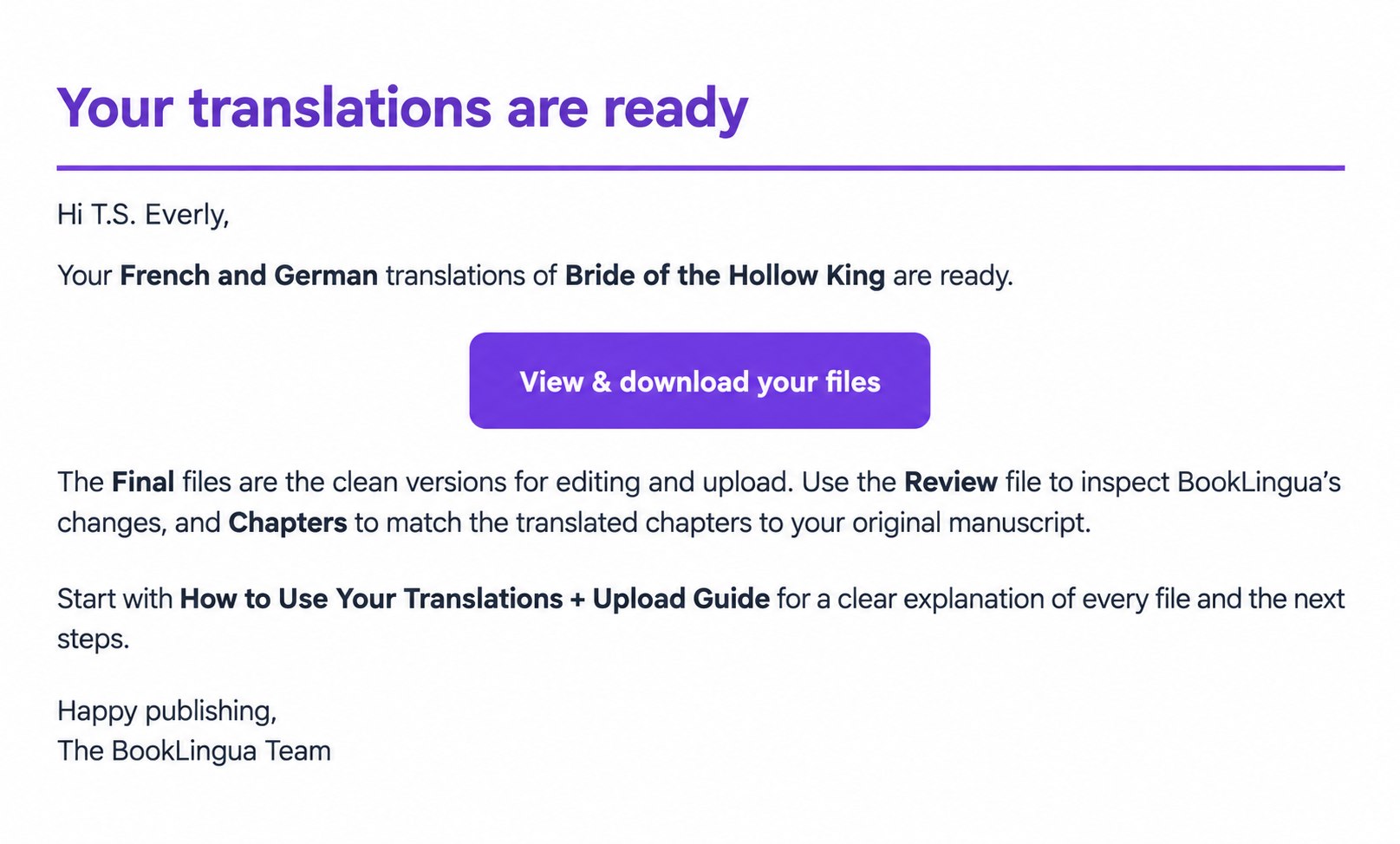
Table of Contents
- What is included in your BookLingua delivery package?
- Start with the How to Use Your Translations guide
- 1. Your Final DOCX and EPUB
- 2. Your Review document
- 3. Your Chapter Map
- 4. Your Translation Notes
- 5. Your professional translator review report
- 6. Your Launch Pack
- What BookLingua doesn't include
- Your delivery checklist
- More than a translated file
What is included in your BookLingua delivery package?
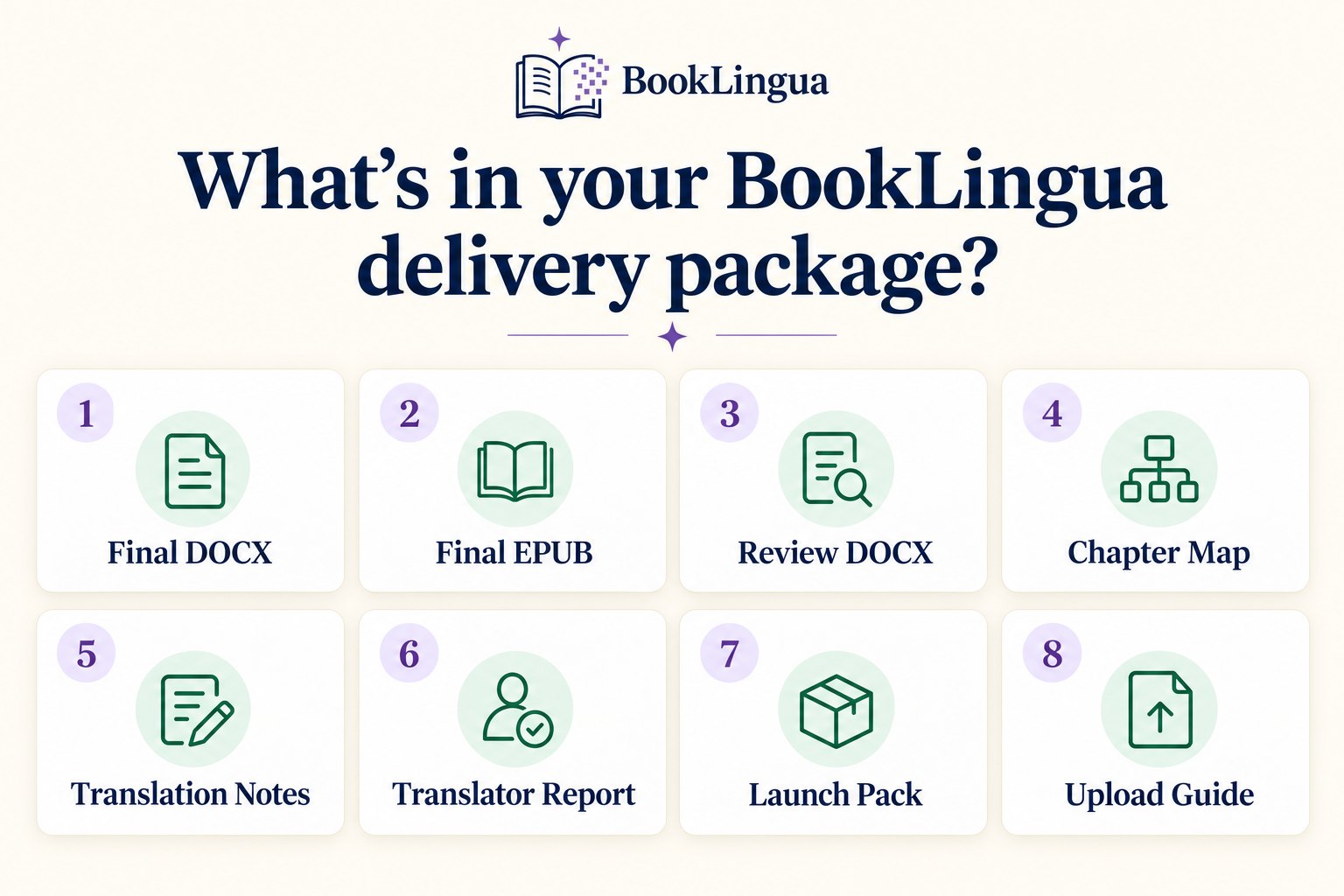
Your package will normally include:
-
A Final DOCX containing the clean, editable translation
-
A Final EPUB that you can use for ebook publishing
-
A Review DOCX showing the changes made during BookLingua's editorial review
-
A Chapters DOCX, or Chapter Map, linking the structure of your original book to the translated edition
-
Translation Notes explaining selected language, tone and localisation decisions
-
A professional translator review report covering carefully selected passages from your book
-
A Launch Pack with publishing and marketing guidance for the target market
-
The How to Use Your Translations + Upload Guide
If you've ordered translations into more than one language, you'll receive a separate set of files for each language.
Each file has a slightly different purpose. Some are designed for publishing, while others help you understand the translation, check its structure or prepare the new edition for release.
Start with the How to Use Your Translations guide
Before opening every file individually, start with the How to Use Your Translations + Upload Guide included in your delivery package.
It talks you through the full process of reviewing, formatting and uploading your translated book.
It includes practical guidance on:
-
Reviewing and editing your Final DOCX
-
Understanding the Review document
-
Using your Translation Notes and Chapter Map
-
Moving the translation into an existing formatted book
-
Working with Atticus or Vellum
-
Deciding whether to use the supplied EPUB or rebuild it
-
Completing your final publishing checks
-
Uploading your translated edition to Amazon KDP
You don't need to tackle everything at once. Begin with the three steps at the start of the guide: open your Final DOCX, keep the Chapter Map beside it and preview the Final EPUB before deciding whether to use it directly. If you are preparing an Amazon edition, our guide to publishing a translated book on KDP walks through the next stage.
1. Your Final DOCX and EPUB
The two main publishing files in your package are the Final DOCX and Final EPUB.
These aren't raw files produced by a general-purpose AI tool. Before delivery, your manuscript goes through BookLingua's managed translation process.
This includes:
-
Translation using the information in your manuscript and translation brief
-
A first editing pass focused on accuracy and meaning
-
A second editing pass focused on style, readability and consistency
-
Checks for problems such as missing content, duplicated passages and formatting issues
-
Targeted review of selected passages by a professional translator
-
Further updates based on relevant feedback from that review
The aim is to produce a consistent, readable translation that keeps the meaning, characters and tone of your original book.
Translation always involves some judgement. There may be several good ways to translate the same sentence, particularly when it contains humour, slang, wordplay or culturally specific language.
A translated book may also keep some of the character of its original language. It won't necessarily read as though it was first written in the target language, and that isn't always a bad thing. Our goal is to create a strong and faithful translation, rather than rewrite your book as something completely different.
Which file should you use?
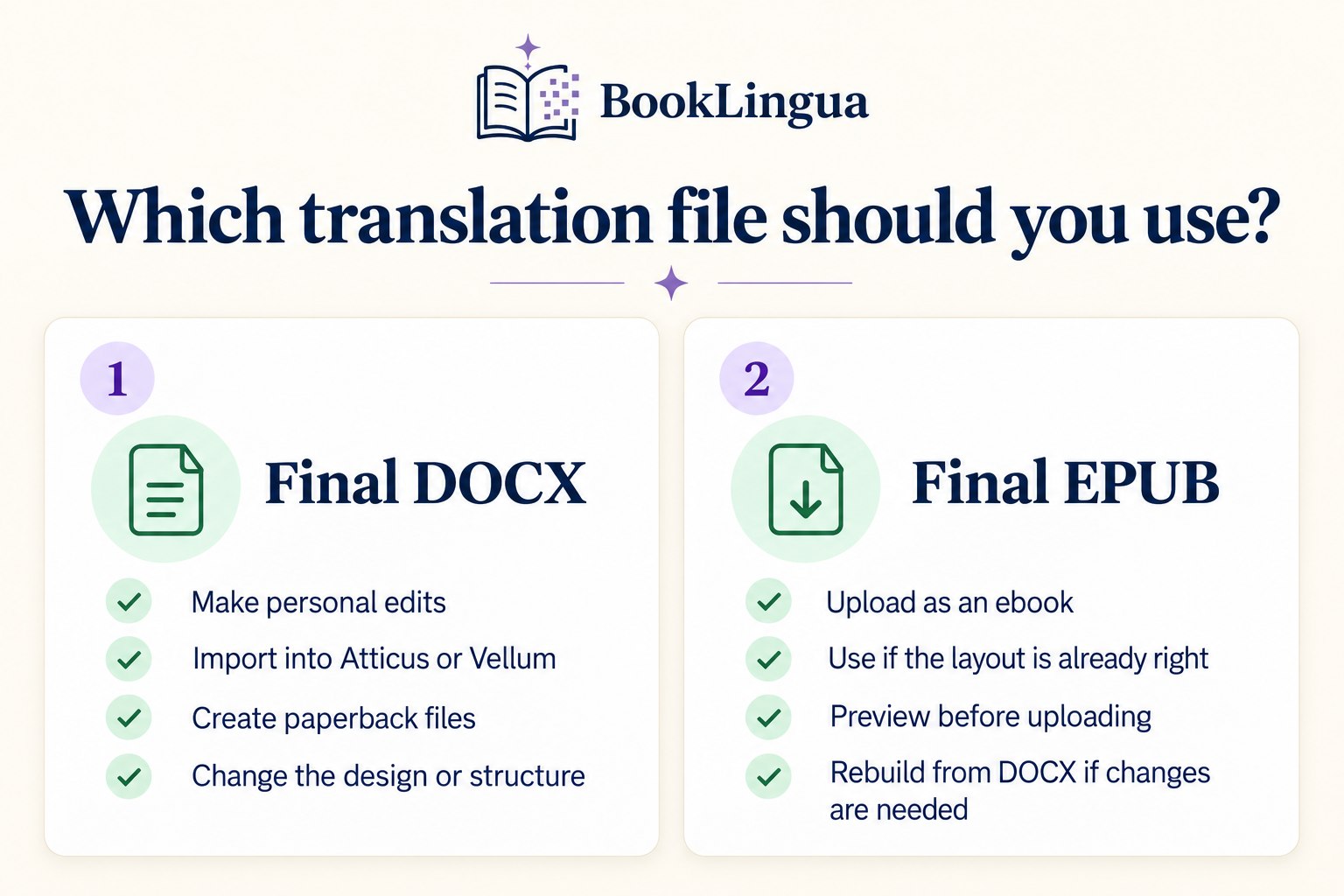
The Final DOCX is the best place to begin. It contains the clean, reviewed translation and is fully editable, so you can make any personal changes you want. You can also use it for print formatting or import it into software such as Atticus or Vellum.
The Final EPUB is the ready-made ebook version. You may be able to upload it directly if its layout, navigation, links and chapter structure meet your needs.
If you want to change the design, add images, update the front or back matter, match an existing edition or create a paperback, it's usually better to rebuild the book from the Final DOCX.
Don't convert the EPUB back into Word as your main editing method. Use the Final DOCX instead.
What should you check?
Start by opening the Final DOCX and checking that everything displays correctly. Work on a copy so you'll always have the original delivered file to refer back to.
Look through:
-
The title page
-
Copyright information
-
Chapter headings and chapter order
-
Scene breaks
-
Italics and other special formatting
-
Images and links
-
Author notes, mailing-list invitations and promotional pages
You don't need to understand every word in the target language to carry out this first check. You're mainly looking for anything that seems visually unusual or structurally different from the original manuscript.
Translated text can be longer or shorter than the original, so page breaks and chapter openings may change. This is especially important for paperbacks, where the translation can also affect the total page count.
2. Your Review document
The Review DOCX shows you what changed during BookLingua's editorial review. It's included for transparency and isn't normally the file you'll publish.
Within the document:
-
Yellow highlighting identifies wording that was examined or changed
-
Highlighted text with a strikethrough shows the initial translation
-
The highlighted replacement shows the reviewed wording
-
Unchanged passages appear once
The accepted wording is already included in your clean Final DOCX, so you don't need to copy the replacements across yourself. In particular, don't copy the visible strikethrough wording into the Final DOCX.
Use the Review document when you want to understand a particular editing decision. If you'd prefer different wording, make that change in a copy of the Final DOCX rather than editing the Review document.
3. Your Chapter Map
The Chapters DOCX acts as a map between the structure of your original book and the translated edition.
It shows how each original heading matches its translated heading. For example, Chapter 1 may become Chapitre 1 in French or Kapitel 1 in German.
This is particularly useful when you're transferring the translation into Atticus, Vellum or another formatting program. Work through the map one section at a time and tick off each row as you go.
Don't rely only on page numbers, as pagination is likely to change during translation and formatting. Check the front matter, chapter order, epilogue, acknowledgements, author information and calls to action as well as the numbered chapters.
The Chapter Map helps you avoid accidentally missing, duplicating or moving a section while preparing the final book.
4. Your Translation Notes
Your Translation Notes explain a selection of the language and editorial decisions made while your book was being processed.
These may relate to:
-
Character and place names
-
Invented words
-
Idioms or wordplay
-
Cultural references
-
Slang
-
Voice and dialogue
-
Recurring genre terms
-
Passages where the intended meaning wasn't completely clear
The Notes aren't meant to catalogue every sentence in your book. They're a curated set of examples that help you understand how important or representative choices were handled.
How should you use the Translation Notes?
Read the Notes alongside the relevant sections of the Final DOCX.
In many cases, they simply explain a decision that's already been made, so you won't need to do anything. In others, you may want to confirm that the chosen interpretation matches what you intended.
You can also use the examples as a consistency guide if you're making your own edits or briefing another proofreader. If you change a recurring name or term, search the Final DOCX for every appearance so it stays consistent throughout the book.
5. Your professional translator review report
As part of the BookLingua process, we select passages from your book for review by a professional translator.
We focus on sections that are especially useful for testing the translation. Depending on the book, these might include:
-
Dialogue with a distinctive voice
-
Emotionally important scenes
-
Humour, sarcasm or wordplay
-
Romantic or intimate passages
-
Action sequences
-
Complicated descriptions
-
Unusual terminology
-
Sections containing cultural references
The translator reviews these samples in context and provides feedback on accuracy, tone, readability and consistency.
This is a targeted review of selected passages, rather than a line-by-line human edit of the whole manuscript.
What happens to the translator's feedback?
We don't simply add the report to your package and leave you to work out what to do with it.
The feedback comes back to BookLingua first. We review the recommendations, make relevant changes to the manuscript and check whether any of the comments point to a wider issue elsewhere in the book.
For example, if the translator suggests a more natural way to handle a recurring phrase, we can check its other appearances for consistency.
You'll then receive the full professional translator report alongside the updated manuscript, so you can see what was reviewed and what the translator said.
Why review selected passages?
A professional, line-by-line human translation of a full book can cost thousands or sometimes tens of thousands of dollars.
BookLingua uses technology to make book translation more accessible, while adding professional review where it can offer the most useful insight. Our book-translation cost guide explains how this compares with traditional translation and DIY AI tools.
It's one part of the wider quality-control process, alongside your translation brief, two editing passes and manuscript checks. It isn't a full human proofread of every translated word.
6. Your Launch Pack
Completing the translation is only the first part of reaching readers in another language.
Your Launch Pack helps you prepare the translated edition for publication and promotion. It includes:
-
A translated book description
-
Suggested keywords in the target language
-
Suggested categories
-
Pricing guidance
-
Positioning and market observations
-
Promotional ideas
-
A practical marketing plan for launching the book
The Launch Pack gives you useful research and recommendations to work from. It isn't a rigid set of instructions, and you can adapt it to suit your book, budget and existing readership.
How should you use the Launch Pack?
Start with the translated description, keywords, categories and pricing guidance when you're creating your marketplace listing.
Don't feel that you have to use every suggestion. Check that each keyword and category genuinely matches your book, and choose the marketing ideas that make sense for the way you publish.
Markets and competition can change, so it's worth doing a final check close to publication. You can then adjust your approach as you learn more from sales, advertising and reader feedback.
What BookLingua doesn't include
We want you to know exactly what you're receiving. Unless we've agreed otherwise, your delivery package won't include:
-
A line-by-line human translation of the whole manuscript
-
A full human proofread of every translated word
-
Paperback typesetting
-
A translated cover design
-
Uploading the book to a publishing platform
-
Guaranteed sales or rankings in the new market
You'll still need to prepare the final publishing files, update the cover and create your marketplace listing.
BookLingua is designed to offer a managed and more affordable route into translation, combining AI-assisted translation with structured editing, quality checks and targeted professional input. It isn't the same as commissioning a traditional human translator and editor to work through every line of the book.
Your delivery checklist
Once you receive your files:
-
Download and safely store the complete delivery package.
-
Open the How to Use Your Translations + Upload Guide.
-
Make a copy of the Final DOCX before making any personal edits.
-
Check names, recurring terms, chapter titles and important details.
-
Use the Chapter Map to make sure every section appears once and in the correct order.
-
Read the Translation Notes and review any important language decisions.
-
Use the Review DOCX if you want to understand a particular editing change.
-
Read the professional translator review report.
-
Review the Launch Pack and choose the publishing and marketing recommendations you want to use.
-
Decide whether to use the supplied EPUB or rebuild the book from the Final DOCX.
-
Prepare your translated cover and marketplace metadata.
-
Preview the finished ebook or print file before uploading it.
-
Keep every file in the delivery package for future reference.
The upload guide gives you more detailed instructions for each stage, including practical workflows for Atticus, Vellum and Amazon KDP.
More than a translated file
BookLingua is designed to give authors more than a manuscript passed through an AI translation tool.
Your delivery package brings together the clean translation, the changes made during editing, notes on important decisions, targeted feedback from a professional translator and practical help with publishing and launching the new edition.
Take some time to work through the files before publishing. They'll help you understand the translation, make informed final decisions and introduce your book to readers in a new language with more confidence.
Ready to translate your book?
Use the BookLingua pricing calculator to get an instant estimate based on your manuscript length and chosen language.